Looking for a ZipWhip replacement? Learn more

Optimizing Your Live Chat: Reporting and Configuration

Dustin Yu • July 7, 2023

Goals and Objectives


Now that you have live chat configured for your Alive5 account, it's time to optimize and measure everything in efforts to create the best Visitor experience based on your current team resources.


We'll cover:


  • How to measure the performance of your live chat agents through various reports (Performance, Conversations, Agent Activity)


  • Configure live chat settings for your organization's call center set up (Max Chat, Ring Mode, Chat Timeout).

  • Measure performance KPIs (key performance indicators) of your team to see where you can improve.

  • Predict future trends for staffing team members for optimum effectiveness.

Hand pointing at a printed chart with colorful bars and a line graph on a wooden table

Performance Report

This can be accessed by logging into your Alive5 account (as an Admin) and visiting: https://app.alive5.com/reporting/performance


By Channel


  • Channel - The Channel (aka Department) of where the chat connected to.

  • Total - Total chat requests with automated chatbots and human Agents.

  • Completed (Agent) - Total number of chats that successfully connected to an Agent.

  • Completed (Bot) - Total number of chats that occurred without connecting to an Agent. Also known as chatbot (only) sessions.

  • Missed by Agent - Chats that were assigned / routed to a specific agent that was available to chat, and the timeout period was exceeded and Visitor was routed to the Offline flow. In other words, Visitor tried to connect with the specific Agent, but no one was there. Within this metric, there are 2 types of "Missed by Agent' chats:

  • Missed by Agent - when setting a "Chat Timeout" value in the Agent Bot (example: 3 minutes), you allow a limited time for a Visitor to wait before they are forwarded to the 'Missed Chat' flow. If the Visitor waits the entire time and does not disconnect (manually ending the chat or closing the browser), the system marks this as "Missed by Agent". This assumes the Agent had ample time to accept the chat, and did not answer in time.

  • Abandoned Chat (by Visitor) - Similar to Missed by Agent, but the Visitor ends a chat manually by clicking ‘End Chat’ in the chat window before the Agent has the ability to accept the chat. Previously, both “Missed by Agent” and “Abandoned Chat” were considered just “Missed by Agent”, but based on feedback from customers, Agents were being penalized for missing chats before they could answer them. In most cases, the Visitor would start a chat and not wait very long (a few seconds) and end the chat, which then the Agent was penalized for missing it. By creating this new categorization of  “Abandoned Chat” metric, this would provide a somewhat better analysis of how the chat was missed after being assigned to a specific Agent.

  • Missed by All - This occurs only using the routing mode of "Ring All". This means when a chat comes into a channel, it rings all Agents available to chat, and if no one picks up, the chat is missed, but not by a specific Agent since the chat was not assigned to anyone, and only to the channel.

  • Offline - This is when a live chat request comes in and no Agents were available to chat and the Visitor is sent directly to the Offline Flow without pinging any Agents.

  • Total Missed - This is a sum of all missed chats.

  • AVG Length - This is the average length of an entire chat session that a Visitor had which was connected successfully with an Agent. This is determined by the time of when an Agent accepted the chat until an Agent or Visitor ends the chat session (and and average of all chat session lengths within that time frame).

  • By Agent - This category will allow you to see the performance by individual Agent.

  • Agent Total - Total number of chat sessions assigned to an Agent.

  • Completed - Total number of chat sessions assigned to an Agent, accepted, and completed a conversation.

  • Missed by Agent - Total number of chat sessions assigned to an Agent, but missed.

  • Abandoned Chat - Total number of chat sessions assigned to an Agent, but Visitor ended the chat early.

  • Transferred In - Total number of chat sessions assigned to an Agent from a transfer from another Agent.

  • Transferred Out - Total number of chat sessions this Agent transferred to another Agent.

  • AVG Length - Average length of a chat session. This is measured from when an Agent accepts the chat request until the chat session is ended (by Agent or visitor).

  • AVG Response Time - Average length of how long it took for the Agent to accept a live chat. The timer starts when the 'Incoming Chat' pop up appears on the Agents' console to when an Agent presses the 'Accept' button.


By Tags


This category will allow you to see how many chats were tagged a specific Tag so you can see how many chats were about a certain topic. Also known as a 'Disposition' report.


  • Tag - Chat sessions which had a specific Tag applied to it.

  • Total - Total chat sessions (missed and agent completed) that were tagged this Tag.

  • Total Completed - Total chat sessions that were tagged this Tag and taken successfully by an Agent.

  • Total Missed - Total missed chat sessions that were tagged this Tag (automated tagging via the Action Bot in the bot flow).

  • AVG Length - Average length of a chat session. This is measured from when an Agent accepts the chat request until the chat session is ended (by Agent or visitor).

  • AVG Response Time - Average length of how long it took for the Agent to accept a live chat. The timer starts when the 'Incoming Chat' pop up appears on the Agents' console to when an Agent presses the 'Accept' button.


Live Chat Settings

Most settings can be accessed by logging into your Alive5 account (as an Admin) and visiting: https://app.alive5.com/settings/alivechat.


Max Chat

This setting allows Admins to configure how many chats at most an agent should handle at any given time. This setting can be a set number for all users, or Admins can let the user decide themselves how many chats they’d like to handle at once. If a user is “maxed out” with chats (for example, max chat is at 2, and they are handling 2 live chat sessions), then the next incoming chat will not notify them, and their turn will be skipped.


Chat Timeout

This is how long you'd like your visitor to wait for an Agent before they are sent to the Offline Flow.

  • By default, the setting is no Chat Timeout. It's advised to have this enabled so that visitors do not wait forever and never hit the Offline Flow if you have no Agents accepting the chat.

  • To start, you can use a value of 2 minutes for the Chat Timeout. Depending on your customer base and Agent availability, this can be adjusted to suit your needs.


To access this setting, you will need to access the Bot Flow. Once in the Bot Flow, this setting is found in each 'Agent Bot' (under the 'Messages' tab). Be sure to make the updates for every Agent Bot if you have multiple.

It's best to have this option enabled with a value so Visitors do not get stuck waiting forever, and it allows them to go through the offline flow if the timeout is reached.

Flowchart of chatbot conversation paths with questions, messages, and responses on a white background

Ring Modes


There are 3 different types of routing methods (Ring Modes). Each one is unique in how chats are distributed to your agents which also affects the client experience. In all cases, Agents who are logged into the mobile app and in ONLINE status will also receive a push notification and opportunity to accept the chat. Agents in AWAY or OFFLINE status will not receive any notification.


Ring All


  • When a chat request is initiated by a visitor, logged in and ONLINE agents will simultaneously receive a pop up notification to accept the chat. 

  • The first agent to accept the chat will be assigned specifically to that visitor in a one-to-one chat session. 

  • If the chat is missed and the visitor reaches the “Offline Flow”, the chat session will be marked as “Missed by All” in reporting.

Load Balanced


  • When a chat request is initiated by a visitor, logged in and ONLINE agents will take turns to receive a pop up notification to accept the chat. 

  • The agent who is “next in line” to accept the chat will be assigned specifically to that visitor in a one-to-one chat session. 

  • If the agent misses the chat, the Visitor will then be routed to the “Offline Flow” configured in the Bot Flow (in the Agent Bot).

  • If the chat is missed and the visitor reaches the “Offline Flow”, the chat session will be marked as “Missed by Agent” for that specific agent in reporting.

Load Balancer Hunt


  • When a chat request is initiated by a visitor, logged in and ONLINE agents will take turns to receive a pop up notification to accept the chat. 

  • The agent who is “next in line” to accept the chat will be assigned specifically to that visitor in a one-to-one chat session. 

  • If the agent misses the chat, the Visitor will then be routed to another agent who is “next in line” (“hunting” down the next agent). This assumes there are other agents available to chat.

  • If there are no more agents online and available to chat, the visitor will finally be routed to the “Offline Flow” configured in the Bot Flow (in the Agent Bot).


Ring Algorithms

For Load Balancer and Load Balancer Hunt, there are 2 algorithms which determine which agent is “Next in Line”.

Ring Algorithm 1: "Even Chats Per Agent"

  • When a chat comes in, we send it to an available agent based on the time they took their last chat. For example, say there are 3 agents, Agent A, B and C. Agent A took a chat 3 hours ago, Agent B took a chat 2 hours ago, and Agent C took a chat 1 hour ago. Agent A would then receive the chat since their last chat session was 3 hours ago (the longest time without a chat compared to Agent B and C). Then the next chat would go to Agent B, then Agent C. 

  • This ensures that all Agents receive the equal number (volume) of chats regardless of how long a chat session takes to complete.

  • The “Max Chat” value and current number of chats an Agent is handling does not impact the distribution of Load Balanced chats. The system ignores this in determining which Agent to send a chat to. For example, if Agent A, B, and C, all have 1 chat session. Let’s also assume Agent A took that chat at 1PM, Agent B took it at 2PM, and Agent C took theirs at 3PM:
Agent A Agent B Agent C
Chat taken @1PM Chat taken @2PM Chat taken @3PM

Then, Agent C ends their chat. So, Agent C will have no chats:

Agent A Agent B Agent C
Chat taken @1PM Chat taken @2PM -

Since Agent A took their last chat at 1PM, the next incoming chat will be routed to Agent A, even if they already have a chat and Agent C does not have a chat:

Agent A Agent B Agent C
Chat taken @1PM Chat taken @2PM -
Chat in Queue @4PM - -


This example illustrates that the routing system ignores how many chats an Agent has in their queue currently, and sends the next chat to the Agent with the oldest chat first.

Sales chat benefits: Agents would hurry and accept chats and end them quickly to gain more sales chat opportunities vs other Agents. With a routing system that distributes based on available Agent queues, the sales reps who chat quickly and end them will end up with more chats at the end of the day.

Support chat benefits: Agents who take their time in conversing in chats will handle less chats over time, as with a routing system would give more chats to Agents that quickly finish support chats. This scenario would have support reps who end up taking alot more chats, basically penalizing them to be more efficient.


In summary, routing chats based on “last chat taken” and ignoring number of current chats taken by an agent is the most fair because it evenly distributes the number of chats to Agents over a time period. We know that some chats take longer than others, but over time, this should average out for the entire agent pool.


Ring Algorithm 2: "Even Queue"


  • When a chat comes in, we send it to the least busy agent. For example, say there are 3 agents, Agent A, B and C. Agent A took a chat 3 hours ago, Agent B took a chat 2 hours ago, and Agent C took a chat 1 hour ago. Once Agent C completes their chat, they will be the next in line for the next chat.

  • This ensures that all Agents are busy chatting equally and the chat queue is distributed evenly based on number of chats taken at the specific time the chat comes in. No agent should be

  • The “Max Chat” value and current number of chats an Agent is handling does not impact the distribution of Load Balanced chats. The system ignores this in determining which Agent to send a chat to.
Agent A Agent B Agent C
Chat 1 Chat 2 Chat 3

Let's assume Agents A, B, and C are all chatting. Then, Agent C ends their "Chat 3". So, Agent C will have no chats:

Agent A Agent B Agent C
Chat 1 Chat 2 -

The next chat request will then go to Agent C:

Agent A Agent B Agent C
Chat 1 Chat 2 Chat 4

This example illustrates that the routing system looks at how many chats an Agent has in the entire chat queue currently, and focuses more on evenly distributing the load of chats to even out the chat queue.


Ring Algorithms Summarized:

  • Even Chats Per Agent - tries to get Agents an equal number of chats.

  • Even Queue - Agents may not have equal number of chats, but load will be equally distributed amongst Agents, so there should not be an Agent with many chats while another sits idle.


Ring algorithm can be configured under 'Live Chat Settings'.

💡 To see how Alive5 can help your organization today, book a demo with us.
By Dustin Yu • October 15, 2026
A small business support team does not have the headcount or budget to hire enough agents to respond to every customer at all hours. That is the gap where AI customer support software is making a measurable difference. The tools available today are not all equivalent. Some add AI features to an existing ticketing workflow. Others were built around automation from the start. And some, where an all in one platform like Alive5 covers channels like SMS, live chat, and AI chatbot together, allow small teams to cover support volume without expanding headcount proportionally. This guide focuses on the platforms most commonly considered by small business operators in 2026 and provides a plain comparison of what each one actually does. What to Evaluate Before Choosing a Platform Before looking at individual platforms, it is useful to know what criteria actually matter for a small business buying AI customer support software. Channel coverage: Many small businesses rely on SMS for customer communication. Not all AI support platforms include native business texting. If your customer base texts rather than emails, you need to verify whether SMS is built in or requires a third-party integration. Ticket volume tolerance: The AI features in some platforms perform best at enterprise scale. If you are running fewer than 500 support interactions per month, look for a product that is designed for that range, not one where SMB is a secondary consideration. Setup complexity: Platforms with deep CRM integration pipelines can take weeks to configure. Small business teams often need something that can be launched and tested quickly without a technical implementation team. Pricing structure: Some tools charge per seat, some per interaction, and some bundle everything into a flat tier. At small business scale, per-seat models can become expensive quickly. Where the Current Market Leaders Fit Freshdesk is one of the most commonly compared tools for small businesses. It has a free tier, a help desk ticketing model, and AI features under the Freshdesk Freddy branding. The AI features help with ticket routing, response drafting, and basic chatbot flows. The core architecture is ticket-first, meaning interactions are organized around open issues rather than ongoing conversation threads. Freshdesk does not include native SMS support. If your customers contact you by text, you would need to integrate a third-party SMS tool. Tidio is a well-known option for businesses that use live chat as a primary support channel. Its Lyro AI handles automated responses within chat and is reasonably accurate for common support questions. Tidio connects to Shopify and other e-commerce tools, which makes it relevant for online retailers. It does not include native SMS. Like Freshdesk, it requires a separate tool if you want to reach customers by text. Help Scout focuses on shared inbox management. It is designed for support teams that collaborate over email threads and need a clean interface for assigning and responding to conversations. It has added some AI features, primarily for response suggestions and summaries. Help Scout does not include SMS and is not designed around chatbot automation. Where Alive5 Fits for SMB Support Teams Alive5 is built for teams that need to cover multiple support channels without using multiple tools. The platform includes live chat, an AI chatbot, business SMS, a unified inbox, and bulk messaging campaigns in one subscription. For small businesses that already use SMS to communicate with customers, this matters practically. You do not have to set up a separate texting tool, train staff on two dashboards, or reconcile two conversation histories. See the Alive5 AI chatbot page to understand how the AI handles common query types before escalation. The AI chatbot is configurable for different query categories and can route to a live agent when the question exceeds its scope. The Alive5 business SMS page covers the channel coverage in more detail. The platform supports both one-to-one texting and outbound bulk campaigns from the same interface, which is useful for small businesses that do promotional outreach alongside support. Small Business AI Support Software at a Glance How to Choose Between These Options If your support volume is low and primarily email-based, Freshdesk or Help Scout offer usable free or low-cost tiers. Both have enough AI assistance to handle basic query routing. If you run a Shopify store and your primary support channel is live chat, Tidio is worth evaluating. The Lyro AI is well-suited to retail product questions. If you communicate with customers by SMS, or want to run support and marketing campaigns from one tool, Alive5 is the platform built for that combination. The lack of native SMS in other platforms is not a minor inconvenience. It means a separate vendor relationship, a separate monthly cost, and a split inbox. Frequently Asked Questions What is the best AI customer support software for a small business in 2026? The best option depends on which channels your customers use. For businesses that primarily handle email support, Freshdesk and Help Scout both offer AI-assisted workflows at accessible price points. For businesses that use SMS as a primary support channel, Alive5 includes native business texting alongside AI chat and live chat, which removes the need for a separate SMS tool. Do small businesses need SMS support alongside chat? Many do. SMS tends to have higher open rates than email, and many customers in retail, healthcare, and service industries prefer text communication. If your customer base uses SMS, a platform that includes it natively simplifies your stack and avoids splitting your conversation history across two tools. How much does AI customer support software cost for a small business? Costs vary widely. Freshdesk has a free plan for basic ticketing. Tidio's entry paid tier starts around $29/month. Help Scout starts around $20/user/month. Alive5 offers subscription pricing that bundles AI chat, live chat, SMS, and bulk campaigns. For a small team, bundled platforms can be more cost-effective than paying separately for chat software and an SMS tool. Can an AI chatbot handle all customer support questions? No. AI chatbots are effective for high-volume, repetitive queries such as order status, FAQs, hours of operation, and basic product questions. More complex issues, complaints, or situations requiring judgment typically require human review. Most platforms route these to a live agent when the chatbot reaches its resolution limit. Does Alive5 work as a full customer support platform? Yes. Alive5 includes a unified inbox that aggregates messages across SMS, live chat, and AI chatbot conversations. Teams can respond, assign, and track conversations from one interface without switching tools. Conclusion Most small businesses evaluating AI customer support software in 2026 are choosing between tools that were built for enterprise workflows and scaled down, versus platforms designed specifically for smaller teams and mixed-channel communication. For businesses with modest ticket volume, email-first communication, and a need for basic AI routing, Freshdesk and Help Scout are functional options. For businesses that rely on SMS, want to run outbound campaigns alongside inbound support, or need a single platform rather than an integrated stack, Alive5 is the option built for that profile. See how Alive5 brings AI chat, live chat, and SMS into one platform, and request a demo to evaluate it against your current support setup.  The body content of your post goes here. To edit this text, click on it and delete this default text and start typing your own or paste your own from a different source.
By Dustin Yu • October 13, 2026
Every conversational marketing demo looks impressive. The real test comes after the demo, when you compare what a platform actually costs, what channels it covers, and what your team has to give up to use it. Drift and Alive5 answer those questions very differently. This checklist walks through the five questions worth asking before choosing between Drift and Alive5, so the decision comes down to your actual budget and channel needs instead of which demo felt more polished. Question 1: What Does It Actually Cost Each Month Drift now operates as a module inside the Salesloft sales engagement platform, and its Premium plan is priced around $2,500 a month billed annually, with enterprise plans running higher based on seats and features. Drift does not publish a public price list, so a final number requires a sales call. Alive5 is priced around usage and features rather than a fixed enterprise commitment, which keeps the starting cost accessible to a small or mid sized team rather than requiring an annual contract sized for enterprise sales operations. Question 2: Does It Cover SMS or Only Website Chat Drift is built around website chat, conversational landing pages, and chatbots aimed at sales teams generating pipeline. It has no native business SMS texting, so a business that also wants to text leads, send reminders, or run bulk SMS campaigns needs a second platform entirely. Alive5 includes business SMS texting in the same platform as its AI chatbot and live chat. See the Alive5 business SMS for how texting, chat, and the chatbot share one inbox. Question 3: Are You Buying a Tool or Joining a Platform Choosing Drift today means adopting it as part of the Salesloft platform, not as a single standalone tool. That can make sense if your sales team already runs on Salesloft. If it does not, you are taking on a broader platform commitment to get a chatbot and live chat. Alive5 stays focused on chat, SMS, and AI chatbot as its core product, without requiring adoption of a separate sales engagement suite. See the Alive5 AI chatbot for what is included. Question 4: How Long Does Setup Actually Take Enterprise platforms bundled into a larger suite typically involve a longer implementation process, including onboarding calls, integration work, and internal training across a broader tool set. A focused platform with fewer moving parts is generally faster to get live, since there is less surface area to configure before your first conversation goes through it. Question 5: What Happens When You Outgrow the Free Trial or Demo Drift pricing is not transparent past the demo stage, and businesses evaluating it often find the final quote, once implementation fees and required add ons are included, runs well past the number first discussed. Confirm the full cost in writing, including any minimum seat count or contract length, before signing.
By Dustin Yu • October 12, 2026
SiteGPT markets itself as ChatGPT trained on your website, built for teams that want to feed in URLs, files, and a sitemap, then embed a chat widget that answers visitor questions. It is a focused, affordable tool for that specific job. The question is whether that job is the only one your business needs done. This comparison looks at what SiteGPT includes, what it costs, and where a combined platform like Alive5 covers more ground for a business that also relies on SMS and live chat. What SiteGPT Does Well SiteGPT lets you train an AI chatbot on your website content, files, and even video, then deploy it as a widget that answers questions around the clock, escalates to a human when needed, and captures leads. Pricing runs $39 a month for the Starter plan with 4,000 messages, $79 a month for the Growth plan with 10,000 messages and API access, and $259 a month for the Scale plan, all on annual billing, with removing SiteGPT branding costing an extra $39 a month. For a business that only needs a trained chatbot widget on its website, this is a straightforward, budget friendly option with no free tier but a 7 day trial to test it. Where SiteGPT Stops Short for Multi Channel Businesses SiteGPT is built specifically around website chat trained on your content. It does not include native business SMS texting, bulk text campaigns, or a shared inbox that spans chat and text together. A business that wants to text appointment reminders, run SMS campaigns, or manage live chat handoffs inside the same tool as its chatbot needs a separate platform for those pieces. What Alive5 Adds to the Picture Alive5 combines an AI chatbot trained on your business with live chat and native business SMS texting in one platform and one team inbox. See the Alive5 AI chatbot and the Alive5 business SMS for the full feature set. This matters for businesses such as universities texting admissions updates while also running a chatbot on the admissions page, or retailers sending SMS promotions while answering product questions through chat, where SiteGPT alone would only cover one half of that workflow. Feature and Pricing Comparison
By Dustin Yu • October 7, 2026
A customer lands on your website at 11 at night with a question. Another customer messages at 2 in the afternoon with a billing problem that needs a real answer. Both are waiting for a response, and the tool that handles one badly handles the other worse. This is the actual decision behind AI chatbot vs live chat. It is not a choice between old and new technology. It is a choice about which conversations need a fast automated answer and which ones need a person, and most businesses need both working together rather than one replacing the other. What an AI Chatbot Handles Well An AI chatbot answers routine questions instantly, at any hour, without waiting on staff availability. It handles order status checks, business hours, pricing questions, appointment scheduling, and other repeatable requests that do not need judgment. Because it runs around the clock, it captures leads and answers questions overnight and on weekends when no live agent is on shift. The tradeoff is depth. A chatbot works from trained content and rules. When a question falls outside that scope, such as a complex billing dispute or a frustrated customer who needs to be heard, a chatbot that keeps guessing at an answer does more damage than good. What Live Chat Handles Well Live chat puts a real person into the conversation, which matters for complex problems, sensitive situations, and high value sales conversations where a customer is deciding whether to buy. A live agent can read tone, ask a clarifying question, and make a judgment call a script cannot make. The tradeoff here is availability and cost. Live chat only works when a person is staffed to answer it, and staffing chat coverage around the clock is expensive for a business that does not have a large support team. The Hybrid Model Most Businesses Actually Need The highest performing setup in 2026 is not chatbot or live chat. It is a chatbot that answers routine questions first, then hands the conversation to a live agent the moment a question needs judgment, history, or a human tone. This keeps response time fast for simple questions and keeps a real person available for the conversations that need one. Alive5 runs this exact model inside one platform. The AI chatbot answers common questions and escalates to a live agent inside the same team inbox that also handles SMS conversations, so nothing gets lost between systems. See the Alive5 AI chatbot and the Alive5 live chat for how the handoff works. How to Decide What Your Business Needs Start by listing your most common customer questions from the last 90 days. If most of them are repeatable, such as store hours, order status, or basic pricing, a chatbot alone can resolve a large share of them. If most of your volume involves account specific issues, complaints, or high value purchase decisions, live chat coverage matters more, and the chatbot should be positioned as the first responder that filters out the simple questions.
Palm trees at sunset, representing a business texting compliance guide from Alive5
By Dustin Yu • September 28, 2026
See what changed for TCPA and 10DLC compliance in 2026, including registration rules, consent requirements, and state texting hour limits businesses must follow.
Palm trees at sunset, representing SMB alternatives to Intercom Fin AI for support teams
By Dustin Yu • September 15, 2026
Compare Intercom Fin AI Agent pricing against SMB friendly alternatives like Alive5, which combines AI chat, SMS texting, and live chat in one platform for less.
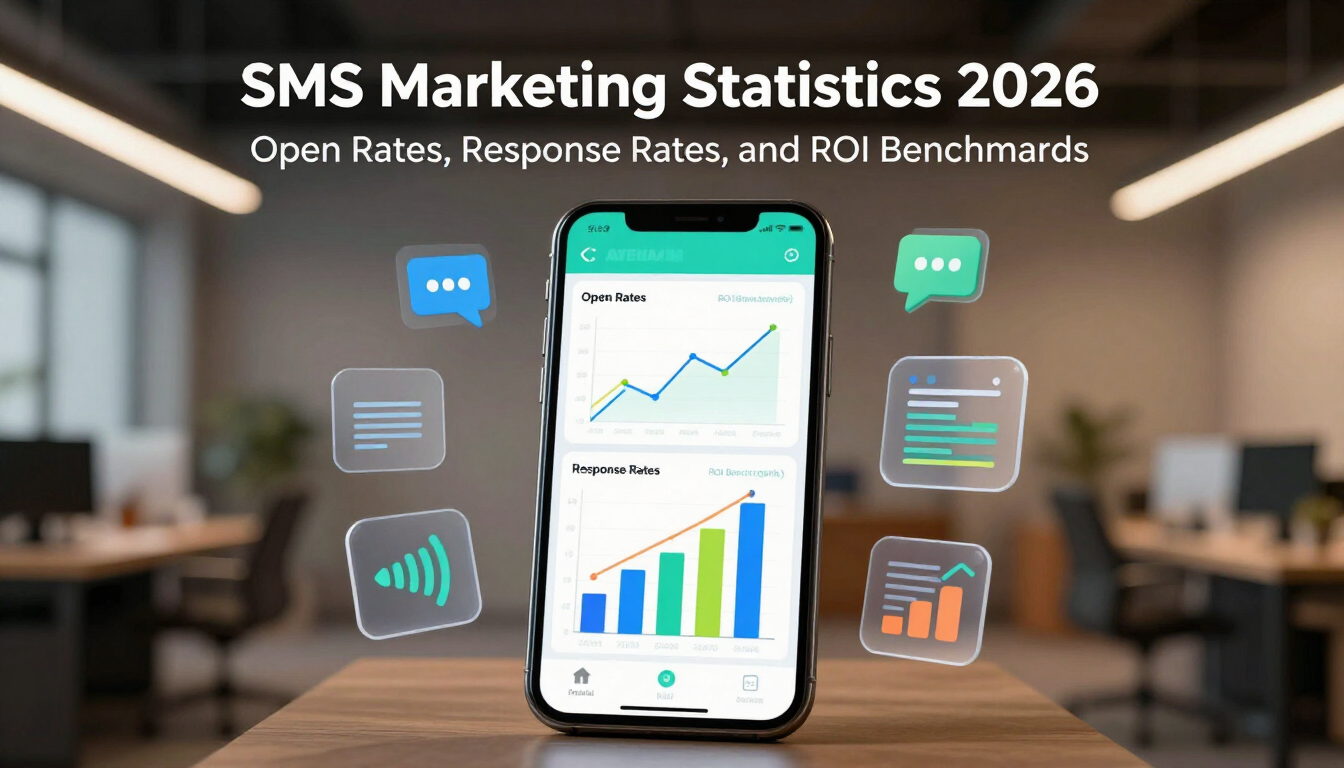
SMS Marketing Statistics 2026 infographic with smartphone charts and floating data icons in an office setting
By Dustin Yu • September 14, 2026
See 2026 SMS marketing benchmarks for open rates, response rates, and click through rates compared to email, plus tips on using SMS well.
Palm trees at sunset, representing a comparison guide between Alive5 and Chatbase AI chatbot platfor
By Dustin Yu • September 11, 2026
Compare Alive5 and Chatbase on pricing, channels, and features to find the right AI chatbot platform for a business that also needs SMS and live chat support.
Person using a smartphone in a blurred indoor setting, viewing a messaging app
By Dustin Yu • November 10, 2023
Subscription + Usage Fees At Alive5, our goal is to offer a best-in-class communication platform filled with features, stellar support, and great value achieved through smart and flexible pricing. Affordable subscriptions and usage-based text credits allow you to easily adjust costs to match the seasonality of your business’ demand for texting. Users A subscription plan (Alive5 SMS STARTER, PRO, PRO PLUS, PREMIUM, ENTERPRISE) includes up to a certain number of users or lines. For example, the PRO plan includes up to 3 users and 3 lines. A user consists of a unique login (email and password) in which a team member can chat with unlimited contacts (mobile cell numbers) which is limited by text credits consumed (explained below). Additionally, users are limited by concurrent logins. For example, if your plan includes 3 users (using the PRO plan example above), you can create unlimited users (email and passwords) in your account, but limited to 3 users logged in at the same time. Lines A line refers to an office phone line you can enable for SMS texting. We do not interfere with the voice functionality, only the SMS messaging portion of a phone line. So you can keep your existing voice phone service (Comcast Business, Vonage, Ring Central, etc), and use Alive5 in parallel. Alive5 does not offer voice. Think about users and lines like "musical chairs" - you have 3 chairs for users and 3 chairs for lines for your entire team to use. If you need more users and lines you can easily purchase add-ons or upgrade your plan. Text Credits For usage, your Alive5 account is equipped with text credits that are allocated every billing cycle. These credits can be used for sending and receiving SMS messages. Each plan includes a set amount of monthly text credits (150 for STARTER, 500 for PRO, 1,500 for PRO PLUS, 3,000 for PREMIUM, and 10,000 for ENTERPRISE). One text credit consists of up to 160 characters, or 70 characters if the message includes an emoji. Messages longer than 160 characters will require multiple text credits. Using Emojis 😃: Using an emoji decreases the number of characters that can fit in a credit from 160 to 70. Each emoji takes up 2 characters. Using Unicode characters á: Using a unicode character, similar to emojis, decreases the number of characters that can fit in a credit from 160 to 70. In contrast to emojis, a unicode takes up 1 character. MMS: Images 🖼 and multimedia files: When sending smaller files (less than 500KB) from Alive5 to a mobile cell phone, it costs 4 credits, while larger files (greater than 500KB) will be converted to a link and cost 1 credit. When mobile cell phone users send an inbound text with an image or video, it will cost 4 credits. Try our SMS Length Calculator  This shows how many message segments (text credits) your text will use. Standard messages allow 160 characters per segment using GSM-7 encoding, but including emojis or special Unicode characters reduces this to 70 characters per segment. Messages exceeding one segment are charged as multiple messages, so character count directly impacts your messaging costs.
Interlocking gears labeled rules, regulations, compliance, standards, and policies in gray and blue.
By Dustin Yu • September 17, 2023
Why is a compliant Privacy Policy required?