

Updated October 28, 2026
Drupal 10 Plug In
Embed the Alive5 live chat widget on your Drupal site from the admin interface — with no theme, template, or code changes. Cache-safe display rules control exactly which pages, roles, and content t…
Embed the Alive5 live chat widget on your Drupal site from the admin interface — with no theme, template, or code changes. Cache-safe display rules control exactly which pages, roles, and content types show the chat.
What you’ll need:
- Alive5 account with live chat or AI chatbot
- Widget ID
How to get your Widget ID:
- Log in as an Admin
- Go to Widgets
- Edit the Widget
- Copy the Widget HTML/JS code
- Extract the Widget ID, see this example:
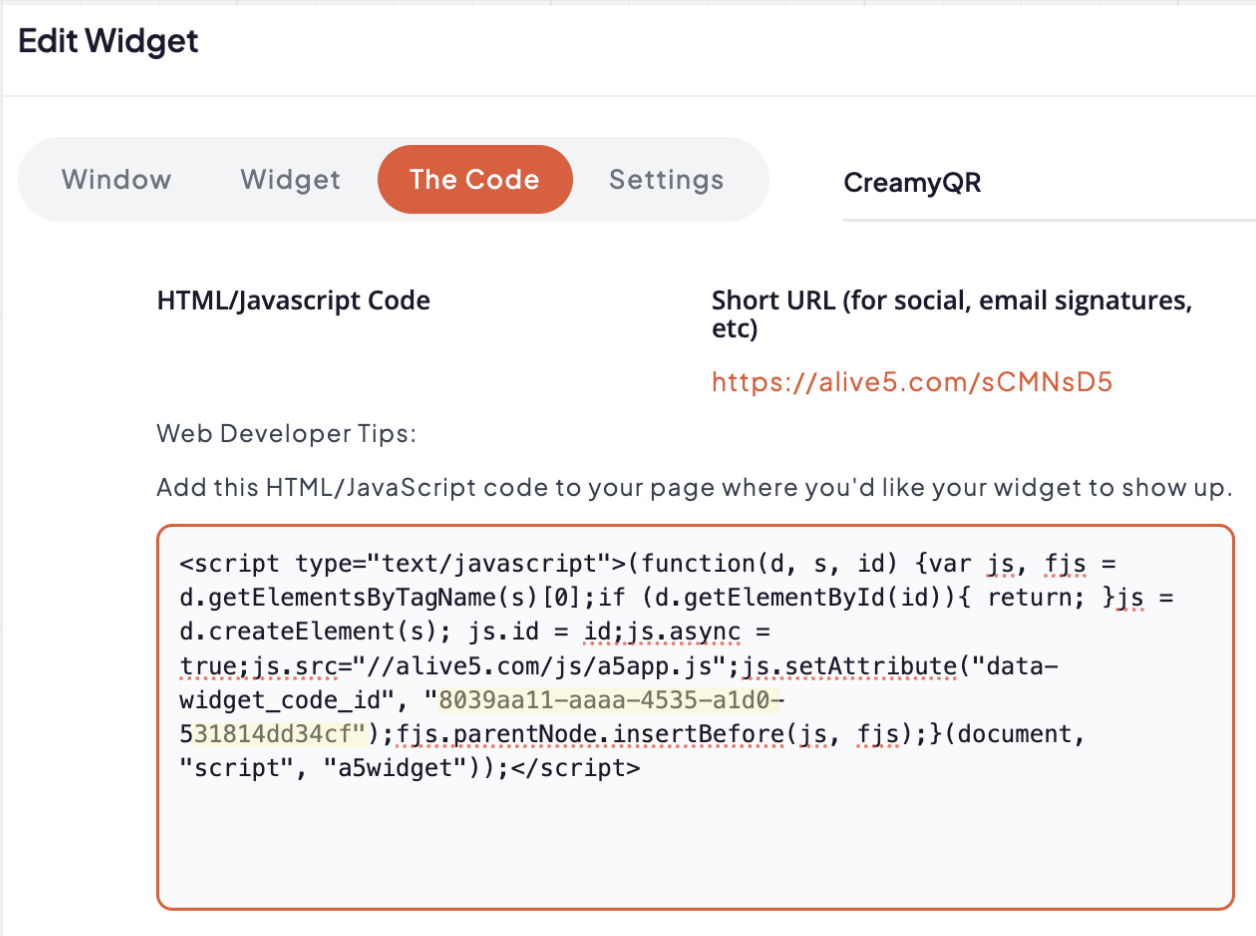
Tip: copy and paste the HTML/Javascript in a text editor to get the “widget_code_id” value, see yellow highlighted value above.
Update Your Drupal Configuration
Inside your Drupal account (Home → Configuration → System → Alive5), add the Widget ID*
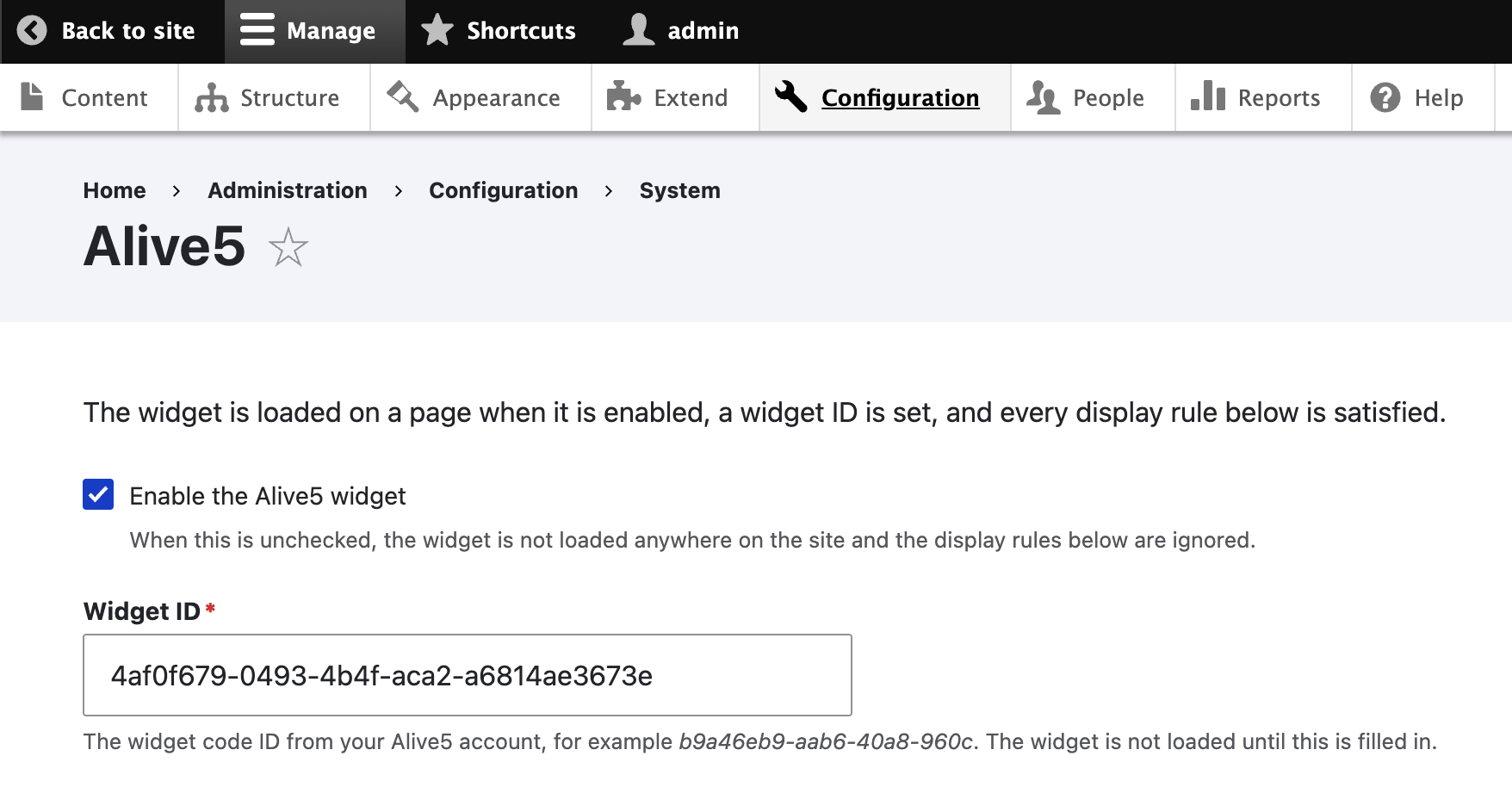
You’re done! The Alive5 Widget should now show up on your Drupal website.