
Quick summary
Choosing a customer service chatbot? Learn how to pick one, train it on your own content, hand off to agents and measure results.
A customer service chatbot earns its place when it answers the routine questions correctly and gets out of the way when a person is needed. Most of the work is in how you choose it, what you teach it, and how you hand conversations to your team.
Teams often buy a chatbot, switch it on and hope. The result is a bot that guesses at answers, traps frustrated customers in a loop, and gives your agents no way to see what happened. This guide walks through a better order of operations: choose carefully, train on content you control, design the handoff to real agents, then measure what the bot is doing. If you want to see the product behind the advice, the Alive5 AI chatbot page covers how it works.
What a Customer Service Chatbot Needs to Do
Before comparing tools, agree on the job. A good customer service chatbot does four things:
- Answers common questions instantly, at any hour, using your approved information.
- Collects the details an agent will need when a question is more complex.
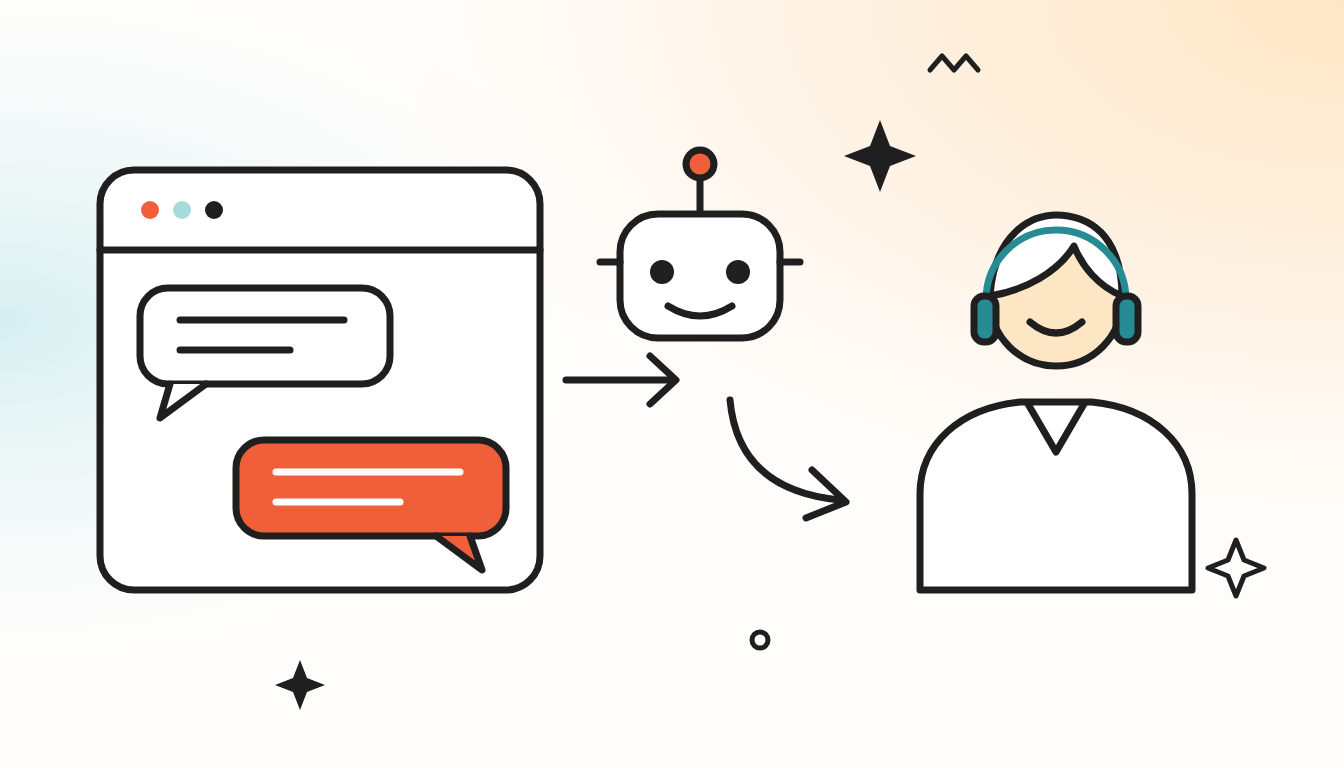
- Passes the conversation to the right person without making the customer repeat themselves.
- Leaves a complete record your team can review.
Notice what is missing from that list: replacing your team. The strongest setups treat the bot as the first responder and your agents as the people who handle judgment, exceptions and relationships. For a closer look at where each fits, read our comparison of an AI chatbot versus live chat.
How to Choose One: Seven Questions to Ask
Use these questions to cut through feature lists.
- Where does it get its answers? Some tools lean on the open internet. Others answer only from content you approve. For customer service, answers grounded in your own content are safer, because a wrong answer about your pricing, policies or hours costs you trust.
- What does it do when it does not know? Look for a mode where the bot says it does not know instead of guessing. A confident wrong answer is worse than an honest handoff.
- Can you set guardrails? You should be able to set the tone, block sensitive subjects and require human review where it matters.
- How does the handoff work? Check that a customer can reach a person with a clear trigger, and that the agent sees the whole conversation.
- Does it share an inbox with your other channels? If chat, text and social messages live in separate tools, your team switches screens all day and customers get repeated questions.
- Does it connect to your CRM? Transcripts and lead details should sync to the system your sales and support teams already use. See how that works on the CRM integration page.
- Can your team see everything? You should be able to watch live sessions, step in mid-conversation and read full transcripts afterward.
Keep a simple scorecard with these seven questions and score every option the same way. It keeps the decision about your needs instead of a demo.
See how Alive5 puts both in one inbox with an AI chatbot.
Train It on Content You Control
A chatbot is only as good as what it reads. The goal is a bot that reflects your business today, not the way it looked at launch.
Start with the sources your customers already use. Your website, FAQs, help articles, policy pages and product documents cover most routine questions. With Alive5, you point the AI at your website, FAQs or uploaded documents, and most customers go from sign-up to a working bot in under an hour.
Decide what the bot should not answer. Pricing exceptions, legal questions, account-specific disputes and anything sensitive usually belong with a person. Write those down as handoff topics before launch.
Keep it current without retraining. Business information changes constantly. Look for automatic website crawling and document sync so that edits to a page or a help article show up in the bot without a manual retrain. This removes the version conflict that makes older bots drift out of date.
Turn on strict behavior for risky topics. Constraining answers to your knowledge base, and letting the bot say it does not know, is the single most useful protection against made-up answers.
Test with real questions. Pull the last month of customer messages, ask the bot the top thirty questions, and mark each answer right, incomplete or wrong. Fix the gaps in your content first, because the answer usually lives in a missing or unclear page rather than in the bot.
For a framework on thinking about oversight and risk in AI systems more broadly, the NIST AI Risk Management Framework is a useful reference for teams that need to document how they govern these tools.
Design the Handoff to Real Agents
The handoff is where most chatbot experiences are won or lost. Customers forgive a bot that cannot answer. They do not forgive one that will not let them reach a person.
Set clear triggers. Common ones are a keyword, a negative tone, a request such as "talk to a human", or a topic you have marked as human-only. Alive5 supports keyword, sentiment and explicit request triggers, and the handoff lands in the same inbox your team already uses for text and live chat.
Route to the right team. Sales questions should reach sales and support questions should reach support. Rules-based routing keeps customers from being bounced between departments.
Make the transfer seamless. The agent should see the full conversation so the customer never has to repeat their question. Any agent should also be able to jump into a live session at any point.
Plan for no one being available. Set a wait limit so a customer does not sit forever. Our live chat reporting guide suggests starting with a chat timeout of about 2 minutes and adjusting from there, so that visitors move to an offline flow, such as leaving a message, when nobody accepts. Ring modes and routing choices are explained in the live chat routing and reporting overview.
Give agents a quiet way in. Because every AI session is visible live, supervisors can monitor conversations and step in on any that are heading the wrong way.
Measure What the Bot Is Doing
You cannot improve what you cannot see. Track a small set of measures and review them on a fixed schedule.
- Bot-only versus agent-completed conversations. Reporting that separates sessions finished by the bot from those completed by an agent shows how much routine volume the bot is absorbing.
- Missed and abandoned chats. Rising numbers here point to staffing, timeout or routing problems at the handoff.
- Response time to accept a chat. This tells you whether handoffs reach a person quickly enough.
- Topics by tag. Tagging conversations by subject shows which questions come up most and which ones the bot struggles with.
- Transcript review. Read a sample every week. Numbers show volume, but transcripts show what customers actually experienced.
When you find a question the bot handled badly, fix the source content, then retest it. That loop of reading, fixing and retesting is what turns a basic bot into a dependable one. Teams that also want to compare tool categories can start with our guide to AI customer support software for small businesses.
A 30-Day Rollout Plan
A phased launch keeps risk low.
Week 1: Scope and content. Pick the ten to twenty most common questions, list the handoff-only topics, and gather the pages and documents the bot will learn from.
Week 2: Train and test. Connect your sources, run your real-question test, and fix content gaps. Set your handoff triggers and routing rules.
Week 3: Soft launch. Turn the bot on for part of your site or a limited audience, with agents watching live sessions.
Week 4: Review and expand. Read transcripts, check the measures above, correct gaps, and widen coverage to more pages and topics.
Common Mistakes to Avoid
- Launching with thin content and expecting the bot to fill the gaps.
- Hiding the route to a human, which turns a small problem into a complaint.
- Skipping a review routine, so errors persist for months.
- Treating the bot as a separate system from your inbox, which splits the customer record.
- Ignoring security and compliance questions. Review how a vendor handles data on its security overview before you connect customer conversations.
Frequently Asked Questions
What is a customer service chatbot
A customer service chatbot is software that answers customer questions automatically on your website or other channels, then hands the conversation to a person when a question needs human judgment. A good one answers from your approved content and passes along the full context.
How do I stop a chatbot from giving wrong answers
Limit it to a knowledge base you control, turn on a mode where it says it does not know instead of guessing, and test it with real customer questions before launch. Review transcripts regularly and fix the source content wherever answers fall short.
How long does it take to train a customer service chatbot
With Alive5, most customers go from sign-up to a working bot in under an hour by connecting a sitemap or uploading a document. Expect to spend more time on testing, handoff rules and content fixes than on the initial setup.
Can the chatbot hand off to a human agent
Yes. Alive5 lets you set keyword, sentiment or explicit "talk to a human" triggers, and the handoff lands in the same inbox your team uses for text and live chat so the agent sees the whole conversation.
Does the chatbot work with my CRM
Alive5 syncs leads and conversation transcripts to Salesforce, HubSpot, Dynamics 365 and any system with an open API, so your team keeps one customer record.
How do I measure whether the chatbot is working
Compare bot-only and agent-completed conversations, watch missed and abandoned chats and acceptance time, review topics by tag, and read a sample of transcripts every week. Use what you find to improve the source content.
Conclusion
A customer service chatbot works best when you choose it on control and visibility, train it on content you manage, design the handoff to your agents with care, and measure it every week. Do those four things and the bot absorbs routine questions while your team spends its time on the conversations that need a person. See the Alive5 AI chatbot in action, or book a demo and we will walk through your own website and handoff setup.